With the introduction of S/4HANA, switching to the Budget Management System (BCS) is essential, as classic budgeting is no longer supported under S/4HANA. My colleague Nico Rühling has already described this in another blog article. Read more about it here.
No longer supported means not only that the corresponding customizing is no longer possible, but also that the previously known application transactions can no longer be executed. For customers switching to the Budget Management System, the question therefore arises as to what should happen to the budget values previously posted in classic budgeting under BCS.
This blog post deals with the preparatory measures and considerations. In a further article, a practical approach to individual budget migration is presented.
Scope of migration
On the one hand, you want to continue to have access to historical data from classic budgeting with the introduction of the budget management system. On the other hand, you should not use customer developments to access the potentially existing legacy data from classic budgeting in the corresponding SAP tables. The SAP standard then offers two options for migrating classic budgeting data to the budget management system before converting to S/4HANA:
- Sum-based migration: Only budget totals, not individual documents, are transferred from classic budgeting to BCS.
- Document-based migration: All documents are transferred individually to BCS.
Both migration approaches can be found in Customizing or accessed directly via the transactions FMKUMIGTOT (sum migration) or FMKUMIGDOC (document-based).
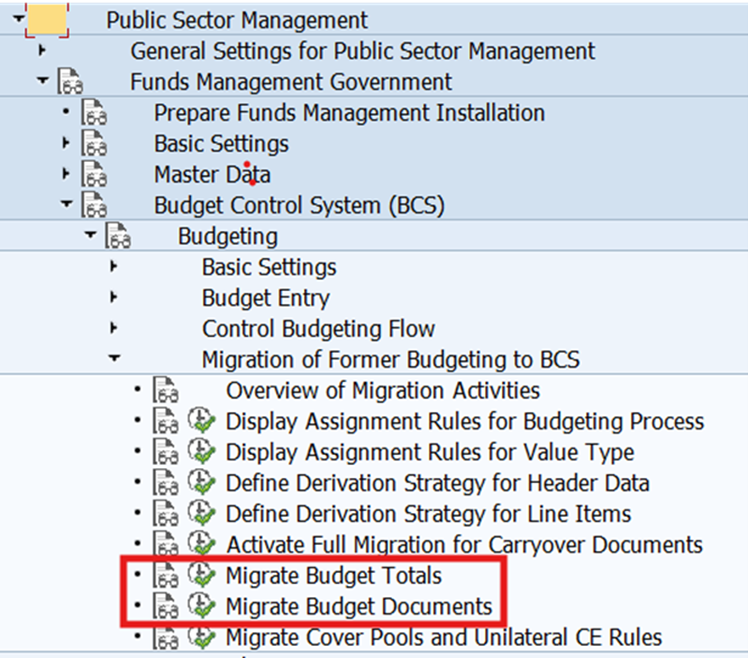
Experience has shown that individual document migration is more complex to implement. Therefore, the procedure for this is explained in more detail below using examples, but without coverage rings. However, this is based on the premise that this procedure must always be adapted to the customer-specific characteristics of budgeting (classical as well as BCS).
Preliminary considerations
For a proper migration, whether at the summary or line item level, the following points must be considered and clarified in advance:
- Type of migration: Manual or, for example, via LSMW?
- Is an approval scenario used in BCS and how are the corresponding budget document types controlled?
- Which BCS budget types are used and how detailed are they for each BCS budgeting process?
- Are payment and/or commitment budgets used?
- When will BCS be activated and how many years into the past will be migrated?
Type of migration
Point 1 of the above sequence must be considered comprehensively, because when starting the individual document migration via transaction FMKUMIGDOC, it becomes apparent that fields must be filled in as mandatory fields for the migration to be successful:
- Entry document number from classic budgeting (KB)
- Source version classic budgeting and target version BCS
- Year to be migrated
- Target BCS budget document type and budget type
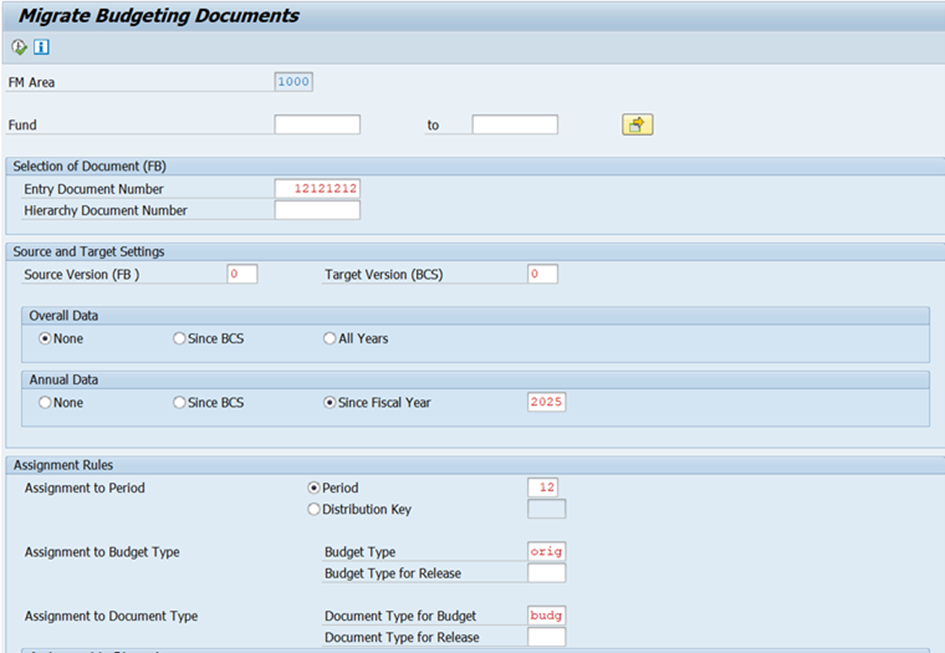
As a rule, annual values are migrated, so the corresponding fiscal year must be entered. The same applies to the specification of a version. As a rule, the productive version “0” is used and migrated in both budgeting tools.
There may be deviations in the “period”: In this case, budgeting is not period-based. Even if period 12 is specified, the budget amounts in the BCS summary table are then distributed evenly across the periods.
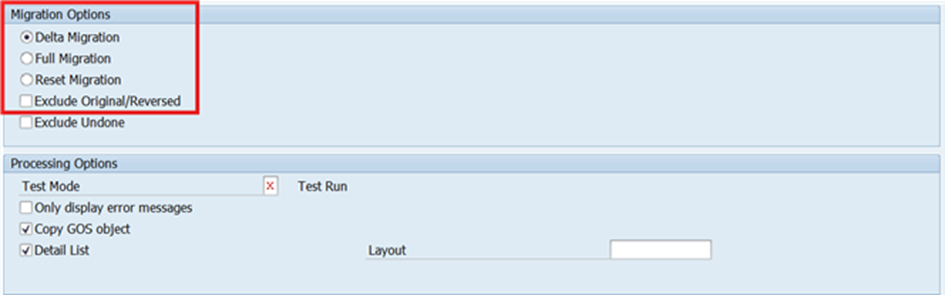
Furthermore, various detailed settings can be made under the migration and editing options.
Additional options
The options “Delta and complete migration” and “Reset migration” are particularly interesting.
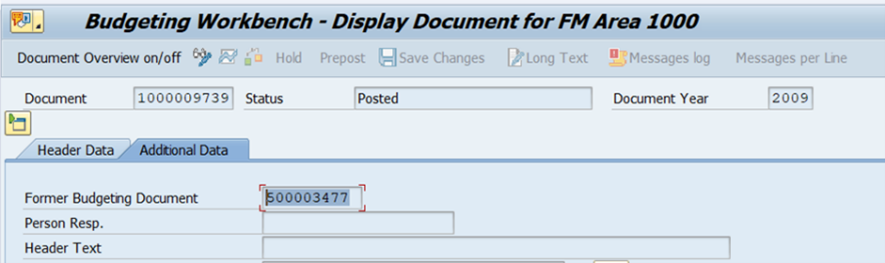
Since the “Document Classic Budgeting” field in the BCS document is populated with the migrated document number from classic budgeting during the migration of budget documents, documents from a fiscal year can only be migrated once. In the event of an incorrect migration, the BCS budget documents must not be canceled using TAC FMDOCREV, but must be deleted using the “Reset migration” option.
In principle, the “Complete migration” option should also be selected so that all documents are migrated. Otherwise, the delta migration uses the link to classic budgeting explained above to check whether and which documents have already been migrated and can be used, for example, in cases where subsequent documents were created in classic budgeting after the budget migration was completed.
The test run is self-explanatory; it only checks whether and which errors occur during document migration.
The problem with using this transaction is that classic budgeting entry documents have to be migrated individually one after the other. The following procedure has therefore proven successful:
Once all settings have been made, a variant can be created. Together with an LSMW recording, this can be used for mass migration. All further explanations on the preparation of migration data are therefore based on this scenario: The data from classic budgeting is migrated in bulk, separated by budget types, using an LSMW recording.
Release scenario and BCS settings
Points 2 to 5 aim to ensure that the SAP standard already has a fixed mapping of “old” budget types from classic budgeting to the new BCS budgeting processes in Customizing. The same applies to the budgeting value types, which have nothing to do with the value types of actual commitment updates in Funds Management, but define whether they are budgets or budget releases. However, both points require that the design and Customizing have been set up in BCS.
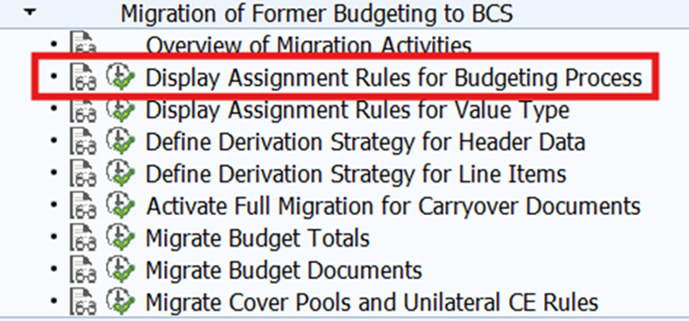
The assignment rules for budgeting transactions are specified by SAP. The budget type here refers to the budget type in classic budgeting, while the transaction is the budgeting transaction in BCS.
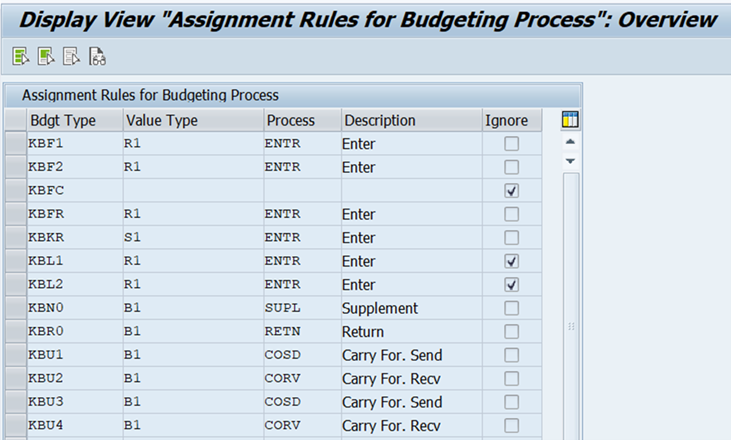
The following budget types are generally relevant for a migration:
- KBUD Original budget
- KBN0 Supplement
- KBUS transfer sender
- KBUE Transfer Receiver
- KBR0 Return
- KBFR Release
Individual, special budget types such as “KBFF” (reversal of external dispositions) cannot be migrated and must be cleaned up in advance or excluded from migration. The external disposition referred to here is the utilization of budgets within the scope of coverage rings. Before migration, the “Reverse external allocation” function (TAC FMAVC1) should therefore be used in classic budgeting. Only then will budget documents be generated that can be migrated.
The example of external dispositions shows that it is advisable to first take a look at table BPDJ (budget line items in classic budgeting) and determine which budget types are used.
Next steps in BCS
The budget types determined in this way then need to be matched to a budget type with the corresponding transaction in BCS. For example, for the budget type “KBUD,” there must be a counterpart on the BCS side, e.g., as budget type “ORIG” with assigned transaction “ENTR – Entry,” which in turn has been assigned a status in BCS Customizing and assigned for the respective year using the corresponding application transaction “FMBOSTAT.”
The same applies to budget releases and budget value types used:
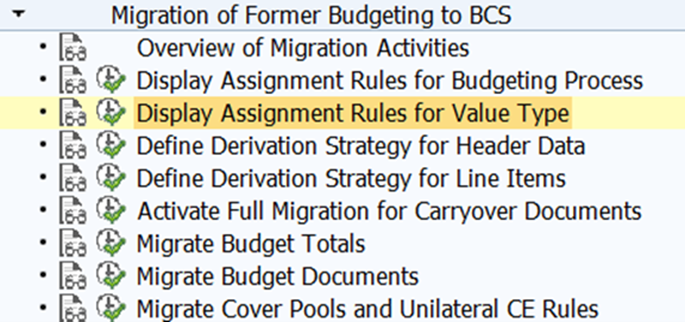
Here, too, SAP provides standard value types with a mapping to BCS value type Budget (B1) or Release (R1) in the respective budget categories 9F (payment budget) and 9G (commitment budget) as well as the status indicating whether a document has been posted, parked, or reserved.
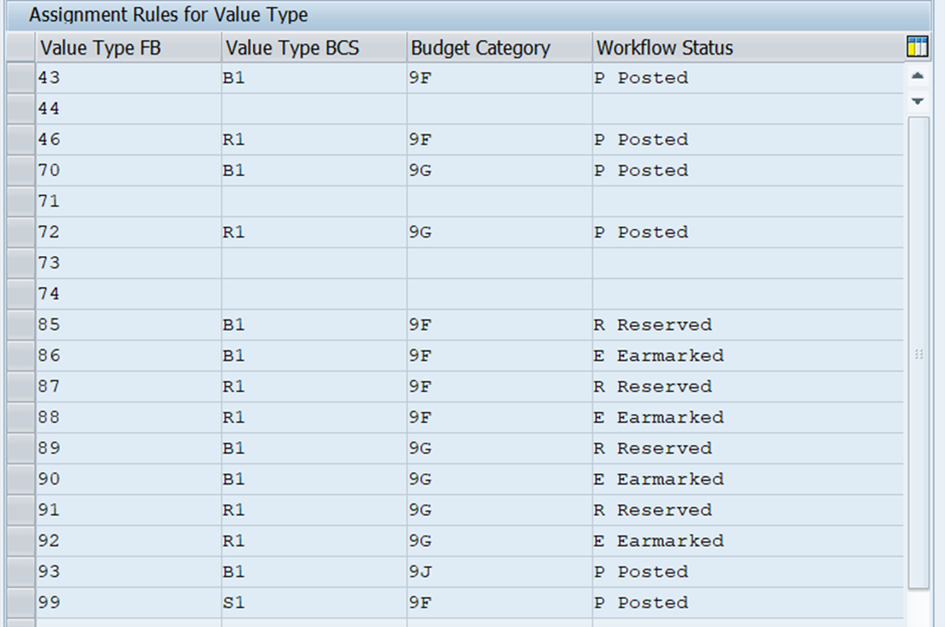
For a correct migration, it is therefore necessary to check whether the budget transactions of classic budgeting are consistent with the settings in BCS.
Further framework conditions
Once the questions regarding budget types, value types, and releases have been clarified, the question of which years are to be migrated or from which year migration is to begin remains:
Technically, BCS Customizing is decisive for this:
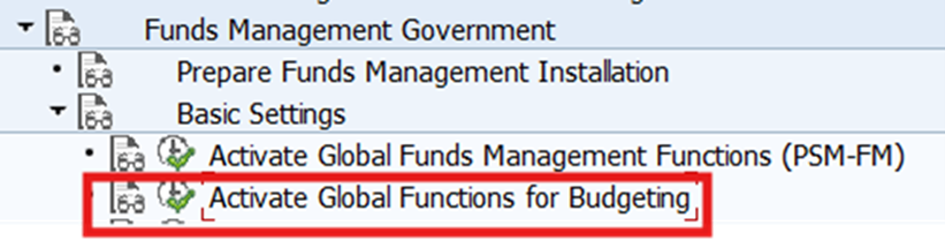
If, for example, BCS is activated from 2024 onwards, but classic budgeting is still being used in 2025 and an attempt is made to migrate the year 2025 to BCS using the corresponding transaction FMKUMIGDOC, the SAP system will respond with an error message stating that a migration ( ) can only take place at the time of BCS activation, i.e. in 2025. In this case, the activation of BCS must be changed from 2024 to 2025 in Customizing, or the data for 2024 and earlier must be migrated.
The activation of active availability control in BCS is not affected by the above restriction. If budget data is migrated from classic budgeting to BCS, BCS AVK can be activated from 2025, for example, even though budgets from previous years, such as 2015, are migrated. The BCS standard reports in BCS will work, but active availability control will not due to customizing. However, if classic budgeting and BCS AVK are run in parallel, it must be clarified and customized in advance which AVK should be active in which budgeting tool for parallel operation.
The same applies to a BCS budget structure plan. If no explicit settings are made for the years to be migrated, the budget migration is performed 1:1 to the budget objects in the budget management system.
The only other setting that needs to be made is the assignment of a budget status for the years to be migrated in transaction FMBOSTAT; otherwise, budget entry is not possible.
Conclusion
The second part of the blog will describe the practical procedure for migrating individual documents, following on from this first part, which has highlighted the preparatory settings and considerations.
In addition, we at adesso business consulting are always available to assist our customers with any technical and specialist questions relating to budget management and budget migration. We look forward to hearing from you.